

Tax line by line
- Who
- Owners, Your customers
- Where
- A quote → Tax (VAT / sales tax) %, and No tax on a line.
Choose which lines of a quote are taxed. Leave the labor out, for example, as US sales tax often works.
Why it’s there
Section titled “Why it’s there”In many places sales tax applies to materials but not to labor. Taxing the whole quote would overcharge your customer; working out the taxed part by hand is slow. Here you mark the lines, and the quote does the sum.
Who sees it
Section titled “Who sees it”People who make quotes (owners, Estimator) choose what’s taxed. The customer sees the tax and what it was on.
How to use it
Section titled “How to use it”- Open the quote and type the rate in Tax (VAT / sales tax) %, for example 8.25. Every line is taxed to start with.
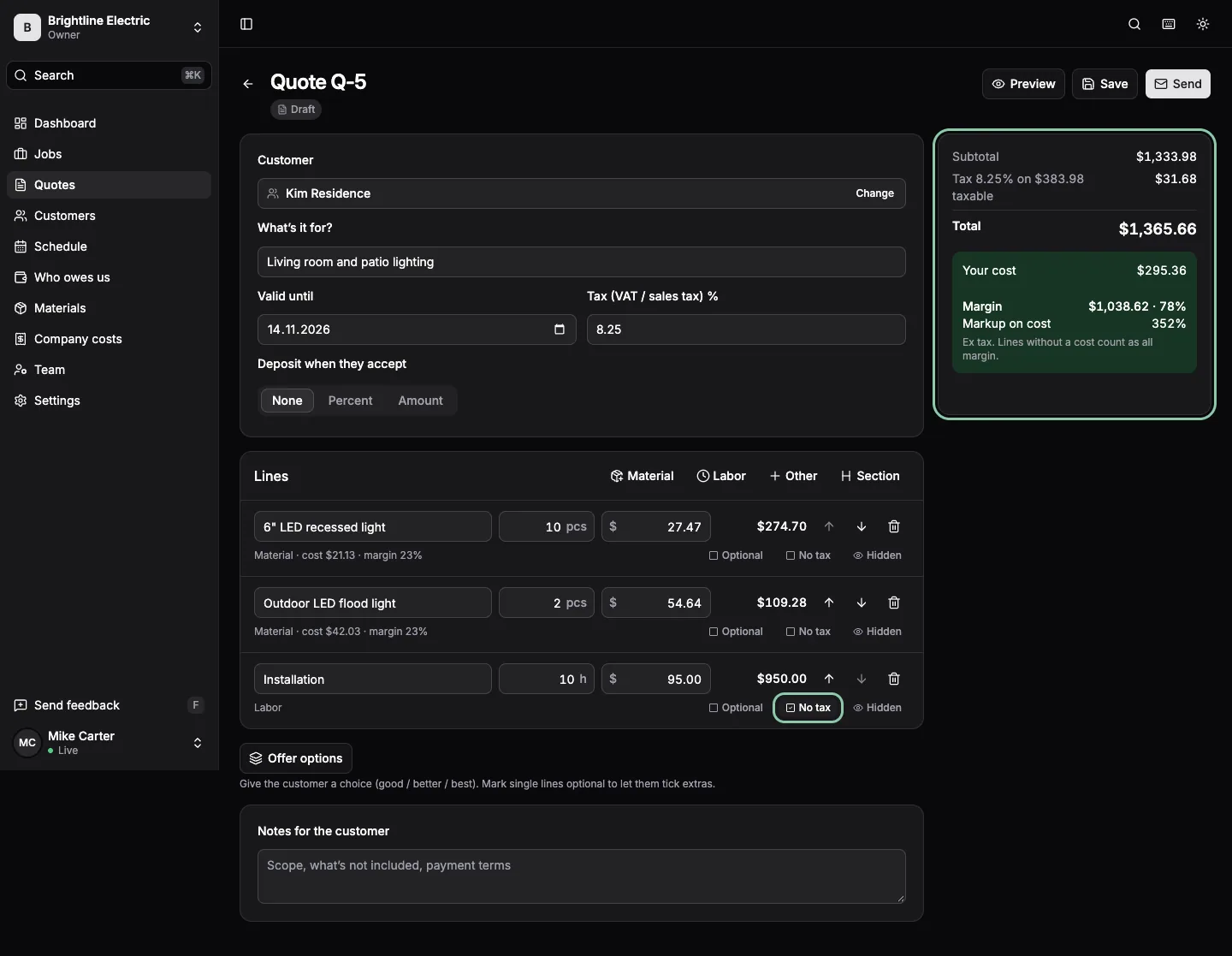
- Leave a line out. Under the line, click No tax. The totals now say Tax 8.25% on the taxed amount, with
the tax worked out on that part only. Click Save.
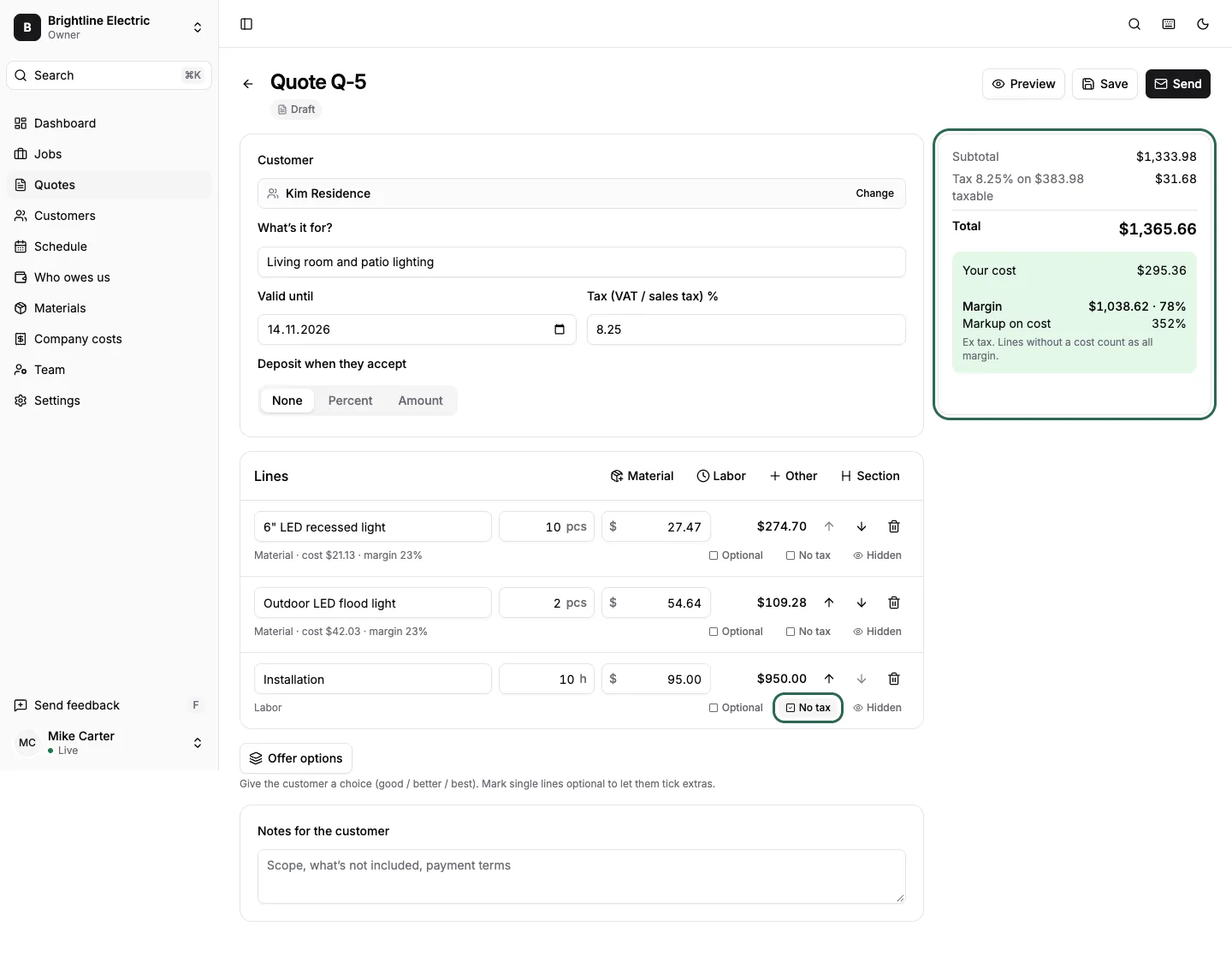
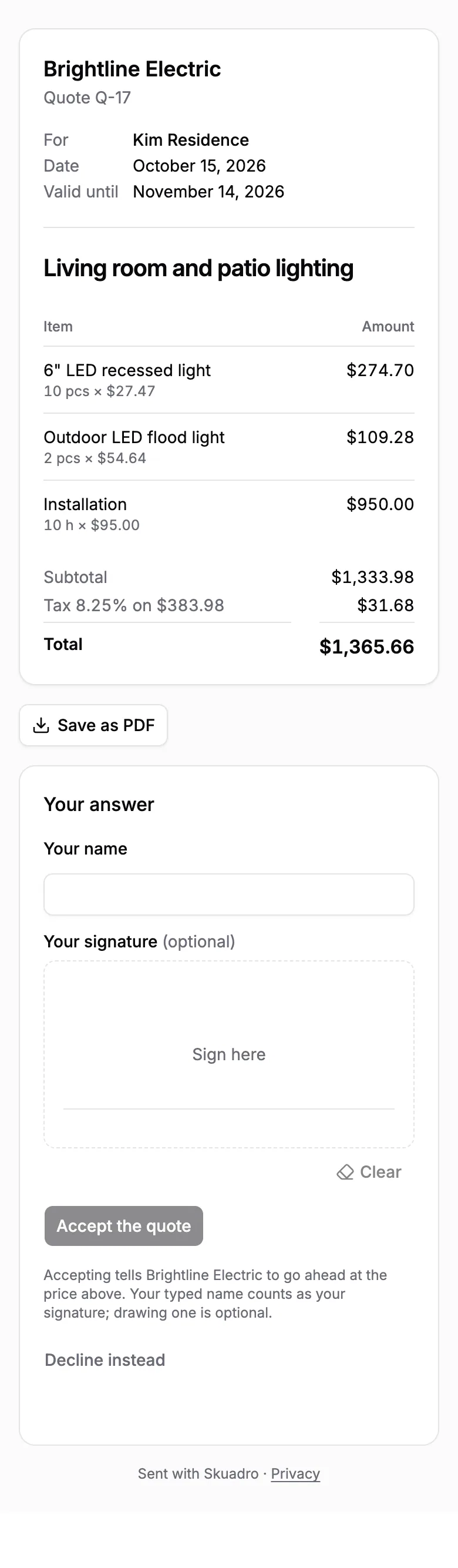
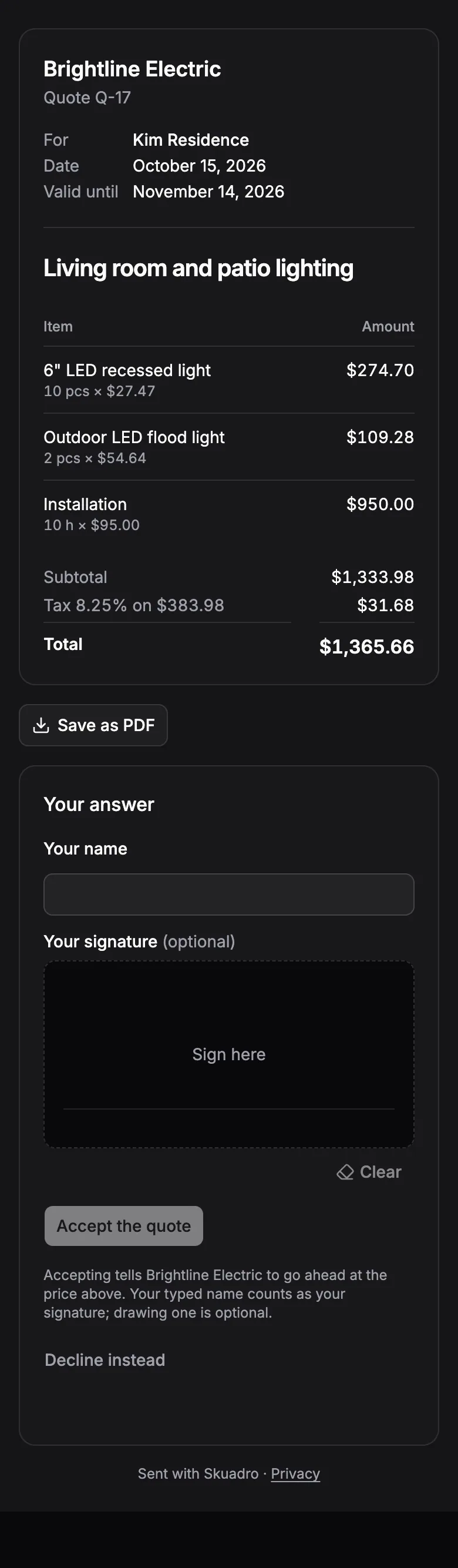
- The customer sees the subtotal, the tax with what it was on, and the total.
Good to know
Section titled “Good to know”- The job remembers the taxed share. When the quote is accepted, the job’s invoices (the deposit too) tax the same share of the price, so they agree with the quote.
- With options, each option’s total has the tax on its own taxed lines. An optional extra shows its price with tax if it’s taxed, without if it isn’t.
- If every line is taxed, the total just says Tax 8.25%.
- One rate per quote; the lines choose whether it applies.