

Sections with their own totals
- Who
- Owners, Your customers
- Where
- A quote → Lines → Section.
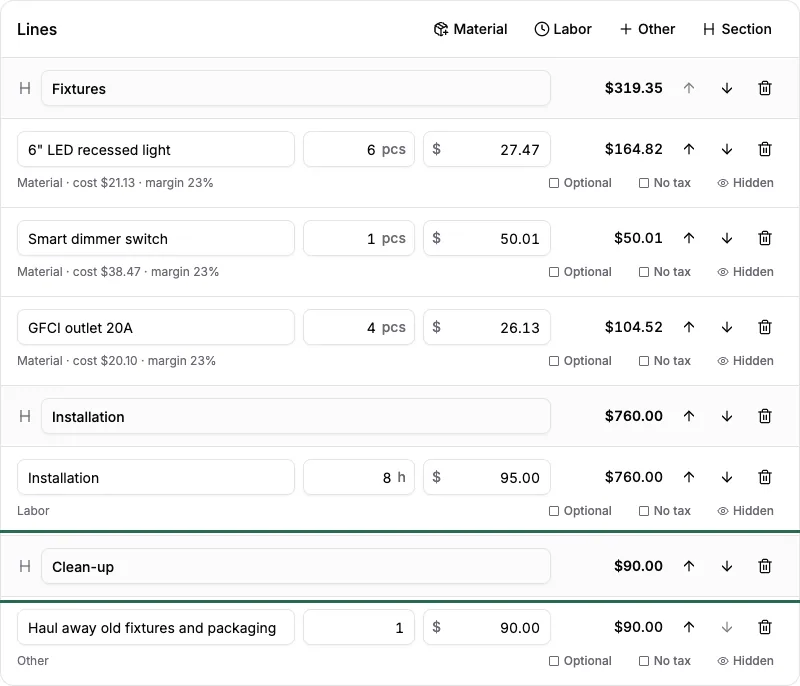
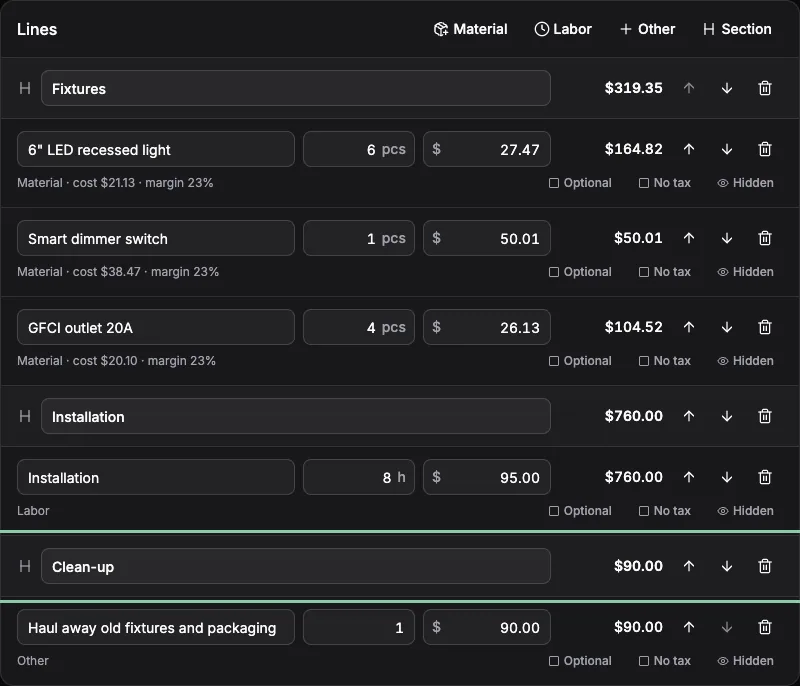
Headings that group the lines of a quote, like Fixtures, Installation and Clean-up. Each heading shows what its lines add up to.
Why it’s there
Section titled “Why it’s there”A long list of lines is hard to read. Grouped under a few headings, the customer sees where the money goes at a glance, and it’s easier to talk through (“the fixtures are $500 of it”).
Who sees it
Section titled “Who sees it”People who make quotes (owners, Estimator) add the headings. The customer sees them on the quote.
How to use it
Section titled “How to use it”- Open the quote. In the header of Lines, click Section. A heading line appears at the end of the list.
- Name it, for example Clean-up. Every line after a heading, up to the next one, belongs to it.
- Put it in place with the up and down arrows on its right. Lines and headings move one step at a time; a heading doesn’t take its lines with it.
- Each heading shows its total as you type. Click Save.
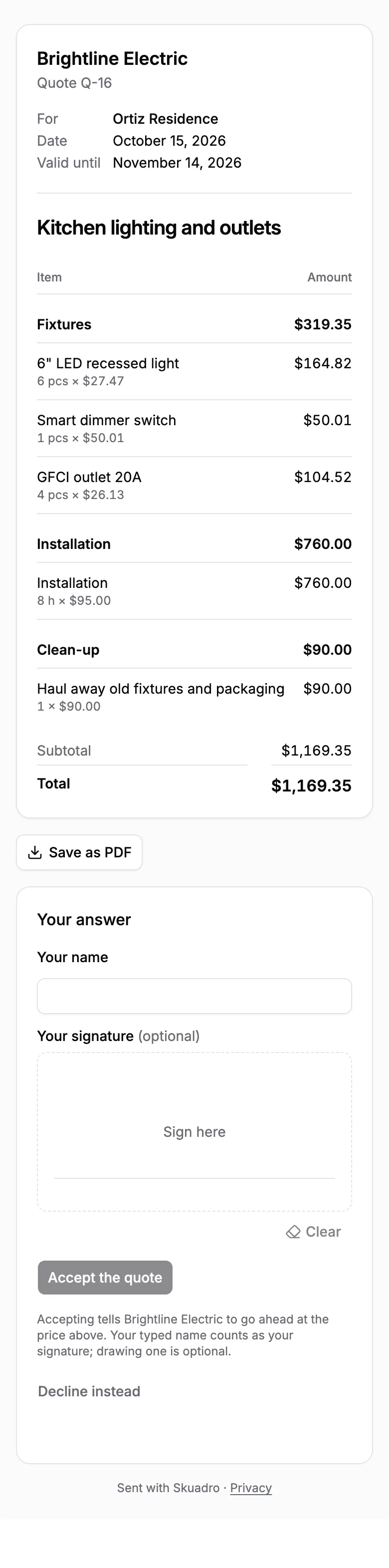
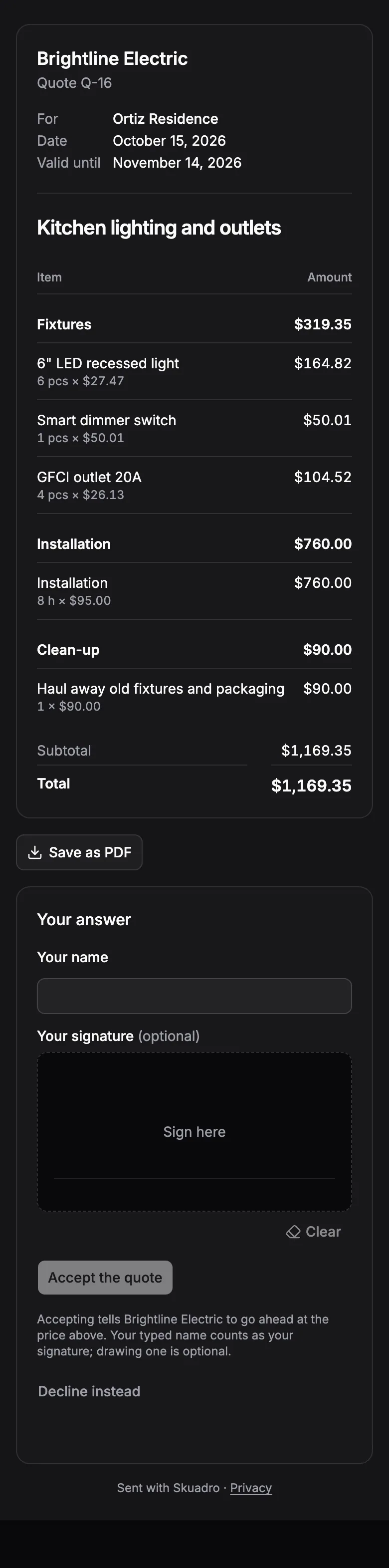
- The customer sees each heading with its total, and the lines under it.
Good to know
Section titled “Good to know”- Headings have no price. They never count in the total or the margin.
- Lines before the first heading show without one.
- With options, each option has its own Section button, and its headings group only its own lines. See Good, better, best.
- Optional lines don’t count in their section’s total until the customer ticks them.
- Every heading needs a name before you can save; remove one you don’t need with its bin button.
- Lines the customer doesn’t see still count in their section’s total. See Lines the customer doesn’t see.