

Price changes with reasons
- Who
- Owners
- Where
- A job → More actions → Edit details → Agreed price; a job → Activity.
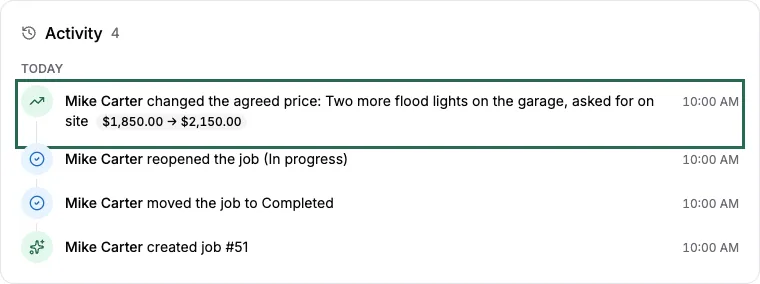
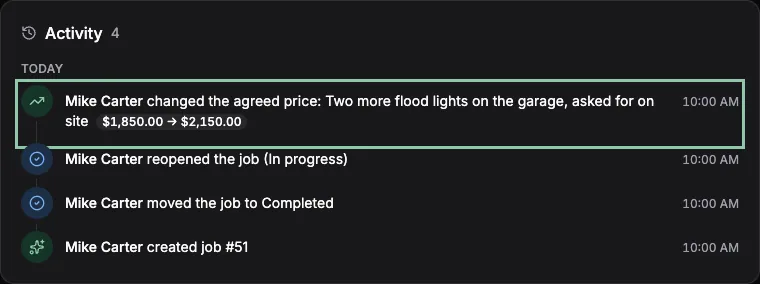
When a job’s agreed price changes, its Activity records the old and the new price, who changed it and the reason. Once a job has been completed, a new price needs a reason.
Why it’s there
Section titled “Why it’s there”“Why did this job end up $300 more?” Months later, nobody remembers. The history answers it, and a price that changes after the work is done always comes with its why.
Who sees it
Section titled “Who sees it”- Changing the price: people who set prices: owners and the Estimator role.
- The price changes in Activity: people who see prices: owners, Estimator, Accountant. Office and field workers don’t see these entries.
How to use it
Section titled “How to use it”- A completed job is locked. To change its price, click Reopen first.
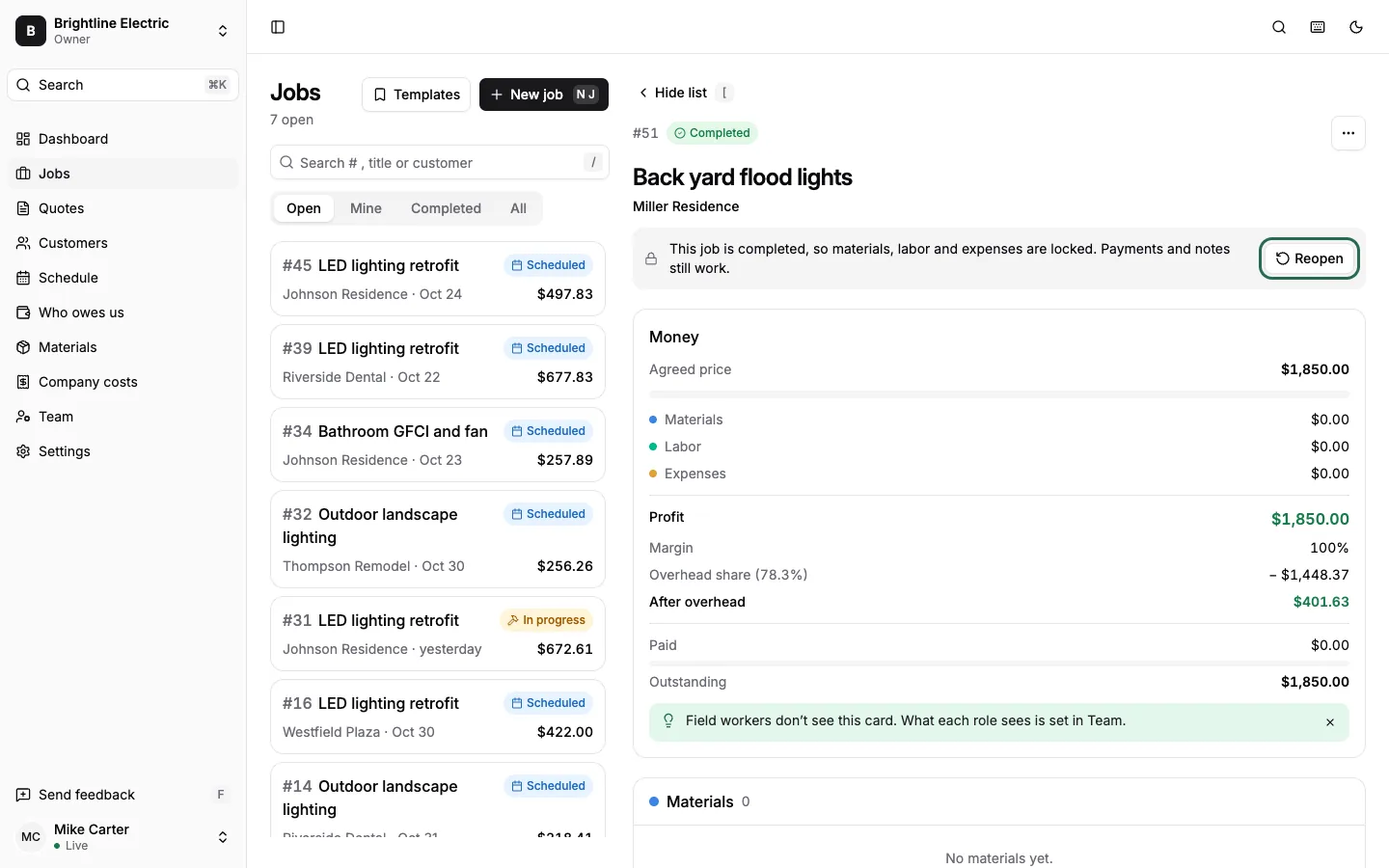
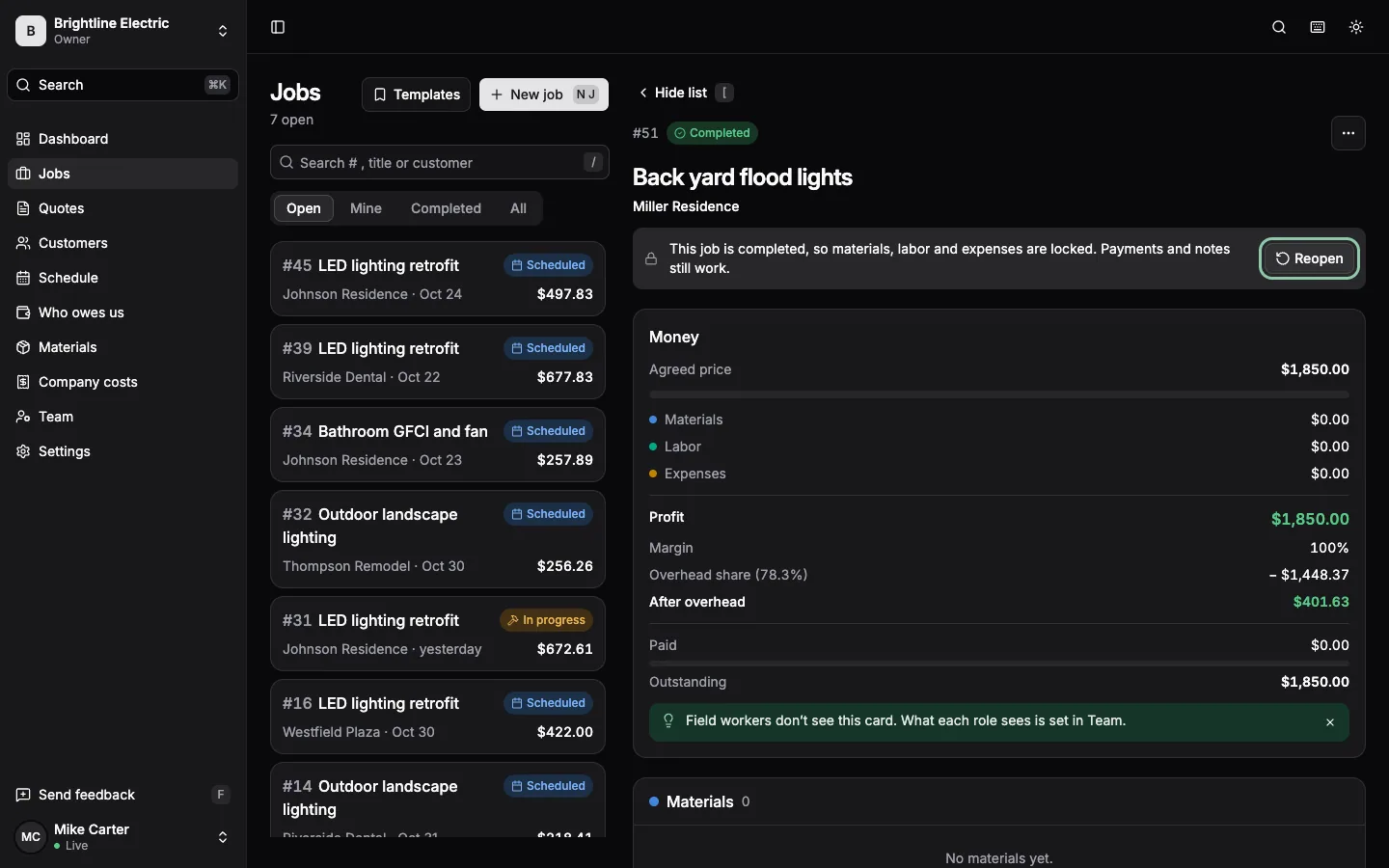
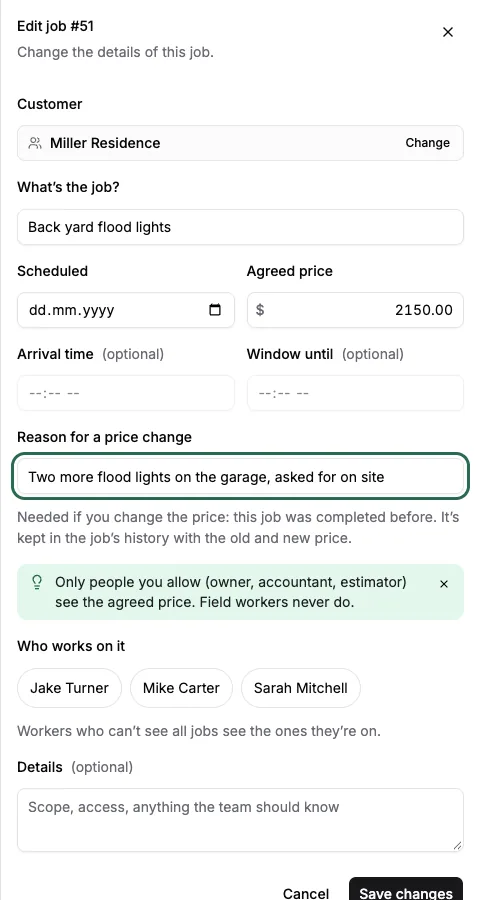
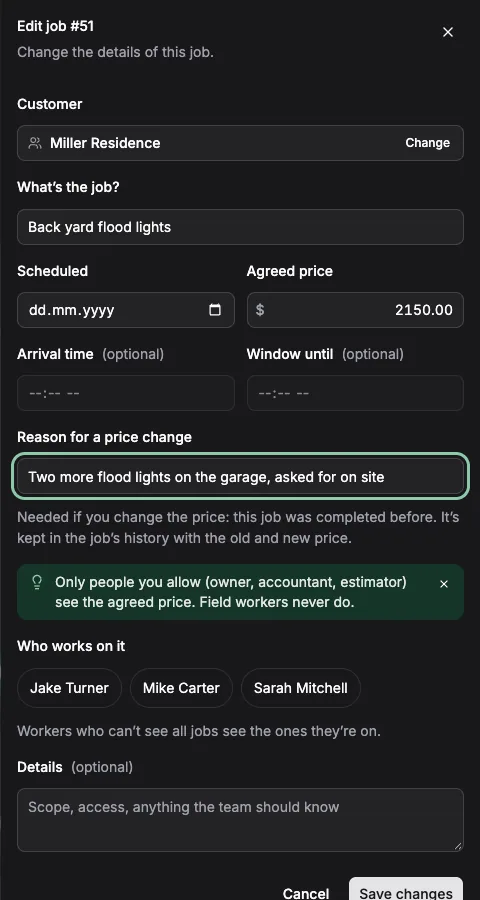
- Open More actions (⋯) and choose Edit details. Type the new Agreed price, and in Reason for a price
change say why. Click Save changes.
- Scroll to Activity. The entry shows who changed the price, the reason, and the old and new price.
Good to know
Section titled “Good to know”- On a job that has never been completed, the reason is optional; the change is recorded either way, with the old and new price. Once a job has been completed (even if it’s open again now), Skuadro won’t save a new price without a reason.
- An approved change order raises the price too, and records it the same way, with the change order as the reason.
- The history can’t be edited or deleted.
- A reason can be up to 200 characters.