

Needs attention
- Who
- Owners, Office
- Where
- Dashboard → Needs attention; Jobs (one line at the top).
At the top of the dashboard, Needs attention lists what’s worth fixing today, oldest first, with the fix in the same row. When there’s nothing, it says so in one calm line.
Why it’s there
Section titled “Why it’s there”Money slips through small gaps: an invoice nobody chased, a quote nobody followed up, a finished job nobody billed. One list catches them before they turn into lost money.
Who sees it
Section titled “Who sees it”- On the dashboard: owners, and the Accountant role (who sees every row except change orders, which are for people who set prices).
- On the Jobs list: everyone, as one line with the job rows only: jobs past their date (of the jobs they see) and, for people who set prices (owners, Estimator), change orders to decide.
How to use it
Section titled “How to use it”- Open the Dashboard. Needs attention shows how many things are waiting, then up to three rows of each kind,
oldest first, with +2 more under them when there are more. Each row says what’s wrong, for which customer and,
for invoices, quotes and change orders, for how much.
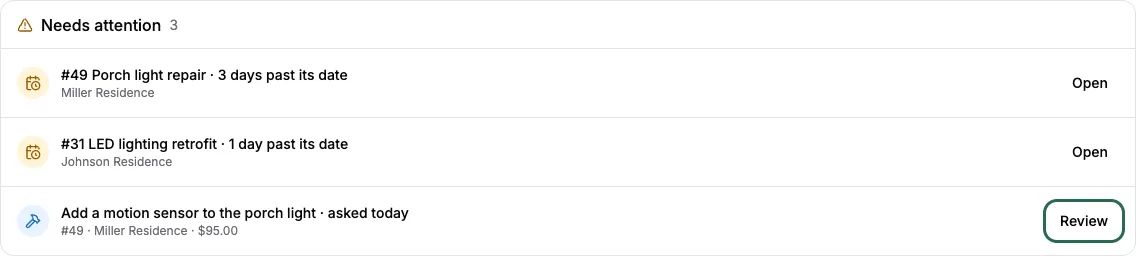
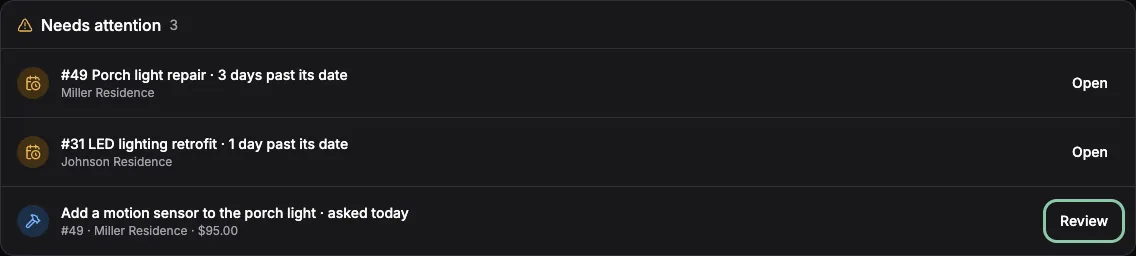
- Fix it from the row:
- Invoices overdue: Send reminder emails the invoice again with a fresh link (the old link stops working). If the customer has no email, the link is copied for you to send.
- Quotes waiting over a week, jobs past their date: Open takes you to the quote or the job.
- Change orders to decide: Review opens the job, where you approve or decline it.
- Finished jobs not invoiced: one row for all of them, with Invoice finished jobs to bill them in one go.
- Fixed rows leave the list by themselves: it updates as payments, invoices, quotes and jobs change.
- On Jobs, one line at the top shows the job rows only (jobs past their date, change orders to decide). Click a
part to open the first job behind it.


What counts
Section titled “What counts”- Invoices overdue: past their due date with something still owed, voided ones left out.
- Quotes waiting over a week: sent more than 7 days ago with no answer yet.
- Jobs past their date: scheduled or in progress, with a scheduled day that has passed.
- Change orders to decide: asked for on a job and not approved or declined yet.
- Finished jobs not invoiced: completed, with an agreed price, and no invoice that isn’t voided. This row needs your invoice details (the country) in Settings → Invoices, and doesn’t show for companies in Albania.
Good to know
Section titled “Good to know”- Send reminder is for people who set prices. The Accountant role sees Open instead.
- The amounts are before tax for jobs and with tax for invoices and quotes, as on each one.